
8.9 KiB






DbGate - (no)SQL database client
⭐ Full Premium Edition - All Features Included!
This fork includes ALL premium features unlocked! No upgrade required.
See the Build Guide for step-by-step instructions to build and run.
DbGate is a cross-platform database manager. It's designed to be simple to use and effective when working with multiple databases simultaneously. This version includes all advanced features like schema compare, visual query designer, chart visualization, batch export/import, and more.
✨ Premium Features Included
| Feature | Status |
|---|---|
| Query Designer (Visual SQL Builder) | ✅ Included |
| Charts & Data Visualization | ✅ Included |
| Side-by-Side Tabs | ✅ Included |
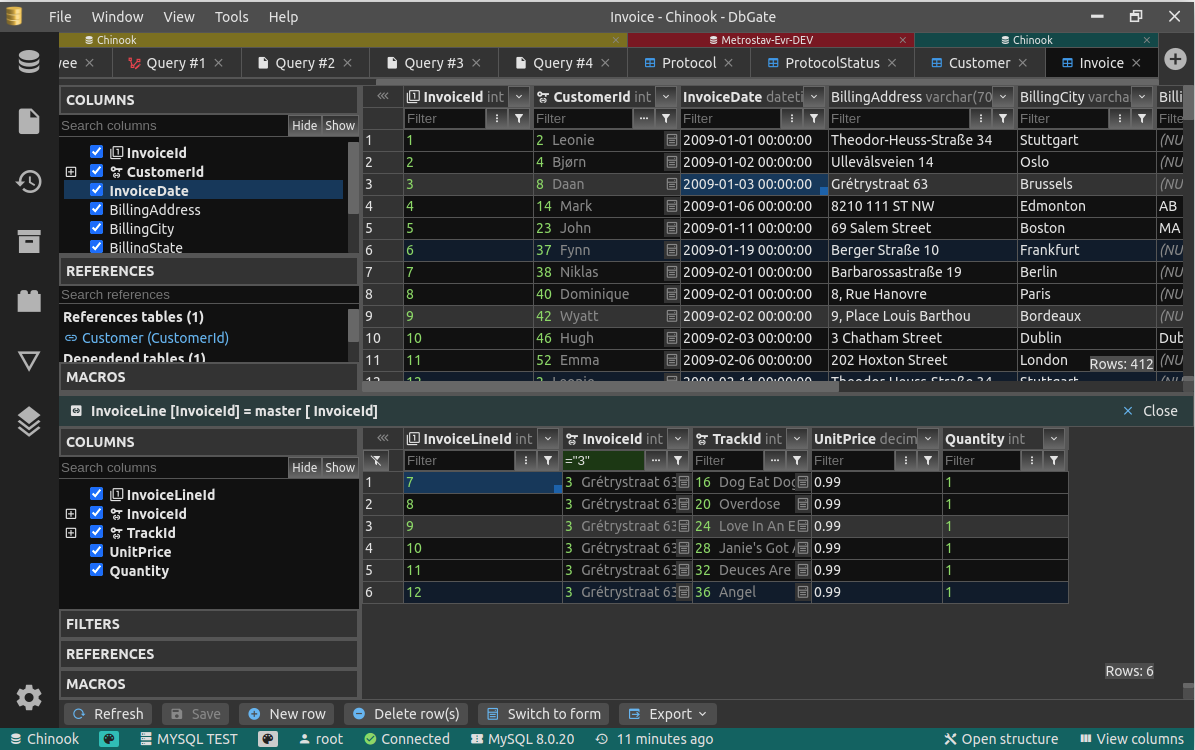
| Master/Detail Views | ✅ Included |
| Foreign Key Lookups | ✅ Included |
| Grid Grouping & Macros | ✅ Included |
| Advanced Batch Export/Import | ✅ Included |
| Data Compare & Deploy | ✅ Included |
| Database Backup & Restore | ✅ Included |
| AI Database Chat | ✅ Included |
Supported Databases
| Database | Status |
|---|---|
| MySQL | ✅ Included |
| PostgreSQL | ✅ Included |
| SQL Server | ✅ Included |
| Oracle | ✅ Included |
| MongoDB | ✅ Included |
| Redis | ✅ Included |
| SQLite | ✅ Included |
| Amazon Redshift | ✅ Included |
| CockroachDB | ✅ Included |
| MariaDB | ✅ Included |
| CosmosDB | ✅ Included |
| ClickHouse | ✅ Included |
| Apache Cassandra | ✅ Included |
| libSQL/Turso | ✅ Included |
| DuckDB | ✅ Included |
| Firebird | ✅ Included |
| Firestore | ✅ Included |

Features
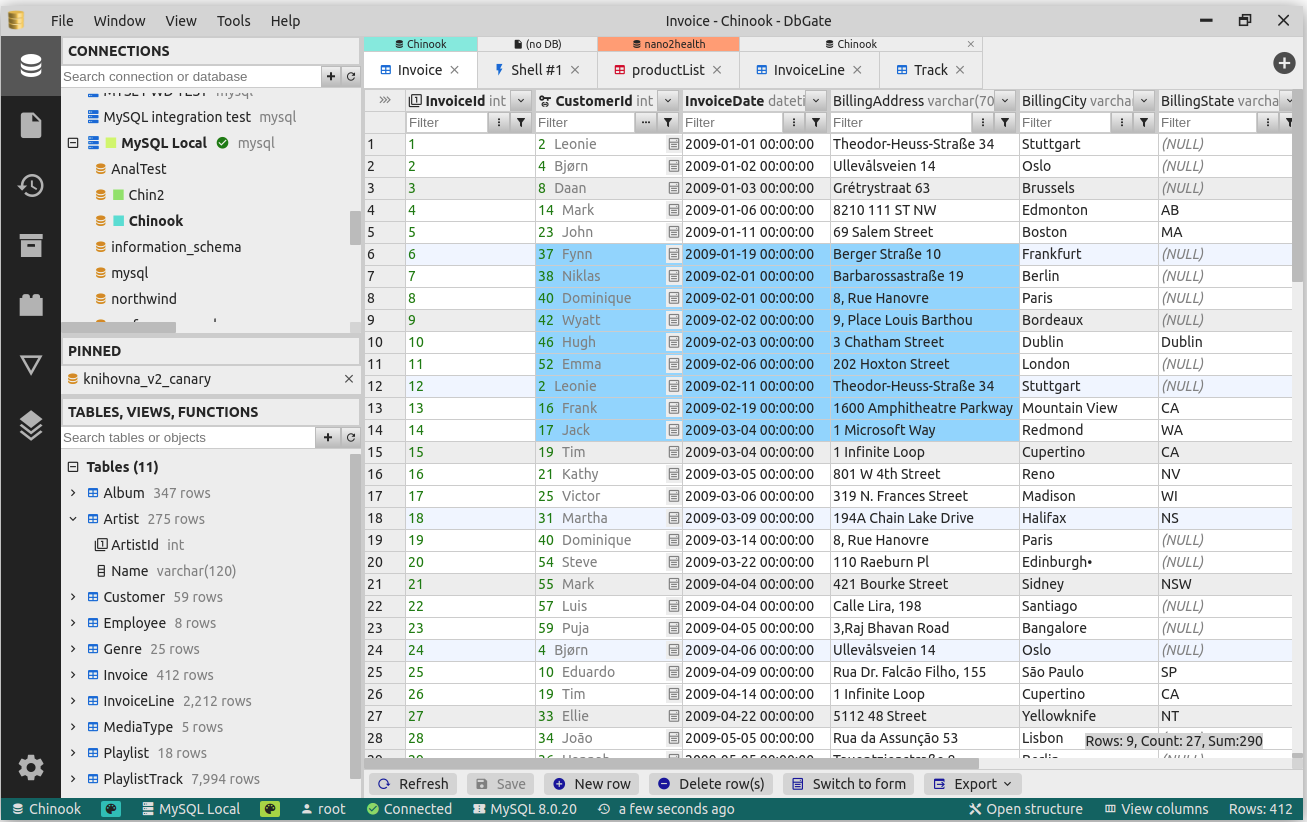
- Browse table data with many filtering options, Excel-like filters, multi-value filters
- Table data editing, with SQL change script preview
- Edit table schema, indexes, primary and foreign keys
- Compare and synchronize database structure
- ER diagram
- Light and dark theme, next themes available as plugins from github community
- Huge support for work with related data - master/detail views, foreign key lookups, expanding columns from related tables in flat data view
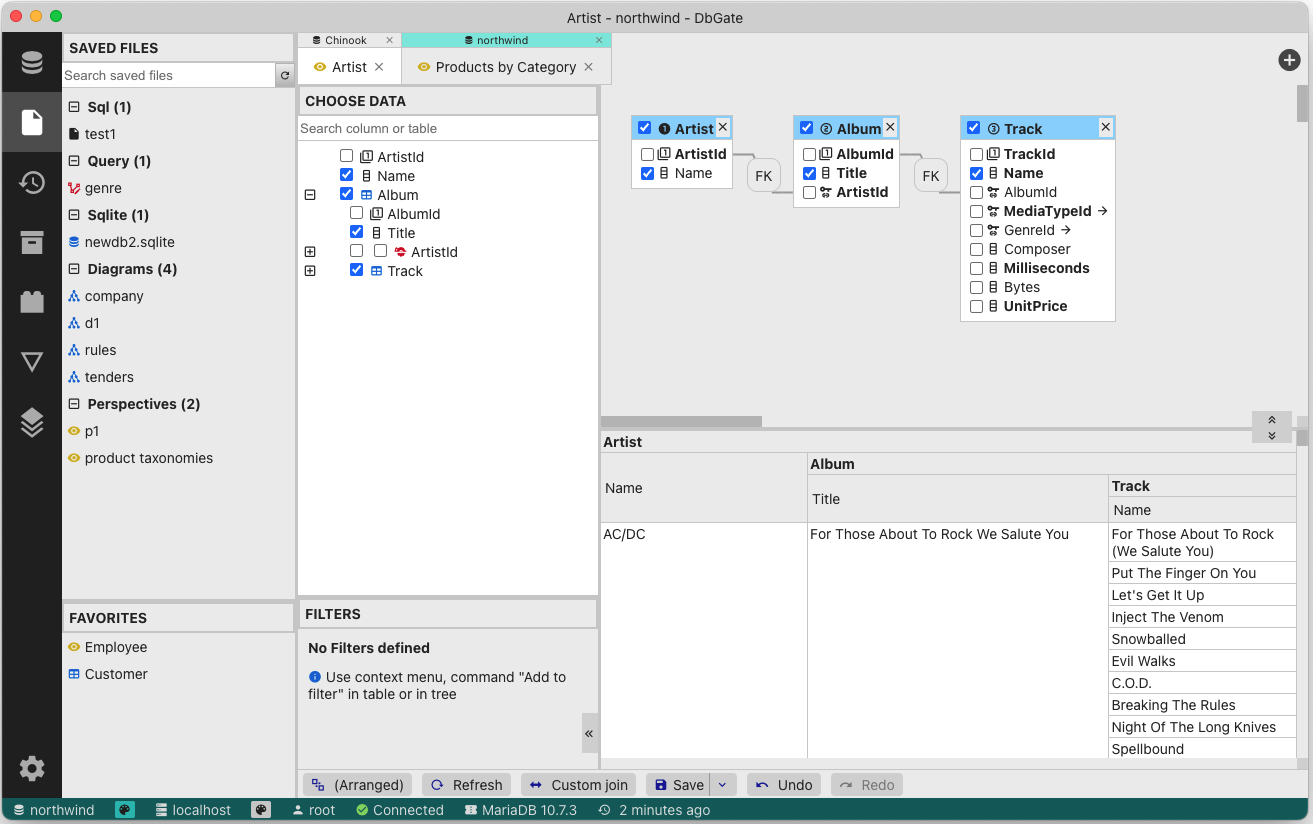
- Query designer - visual SQL query builder without writing SQL code. Complex conditions like WHERE NOT EXISTS.
- Query perspectives – innovative nested table view over complex relational data, something like query designer on MongoDB databases
- Form view for comfortable work with tables with many columns
- JSON view on MongoDB collections
- Explore tables, views, procedures, functions, MongoDB collections
- SQL editor
- execute SQL script
- SQL code formatter
- SQL code completion
- Add SQL LEFT/INNER/RIGHT join utility
- Mongo JavaScript editor, execute Mongo script (with NodeJs syntax)
- Redis tree view, generate script from keys, run Redis script
- Runs as application for Windows, Linux and Mac. Or in Docker container on server and in web Browser on client.
- Import, export from/to CSV, Excel, JSON, NDJSON, XML, DBF
- Archives - backup your data in NDJSON files on local filesystem (or on DbGate server, when using web application)
- NDJSON data viewer and editor - browse NDJSON data, edit data and structure directly on NDJSON files. Works also for big NDSON files
- Charts, export chart to HTML page
- AI powered database chat
- Show GEO data on map, export map to HTML page
- For detailed info, how to run DbGate in docker container, visit docker hub
- Extensible plugin architecture
How to Contribute
Contributions are welcome! Here's how you can help:
- ⭐ Star this repository to show your support
- 🐛 Create an issue if you find a bug or have a feature idea
- 📹 Create tutorial videos on YouTube
- 📝 Add SQL scripts to the Public Knowledge Base
- 🔌 Create a plugin - theme plugins need almost no JS coding
Thank you!
Why is DbGate different
There are many database managers now, so why DbGate?
- Works everywhere - Windows, Linux, Mac, Web browser (+mobile web is planned), without compromises in features
- Based on standalone NPM packages, scripts can be run without DbGate (example - CSV export )
- Many data browsing functions based using foreign keys - master/detail, expand columns, expandable form view
Design goals
- Application simplicity - DbGate takes the best and only the best from old DbGate, DatAdmin, DbMouse and SQL Database Studio
- Minimal dependencies
- Frontend - Svelte
- Backend - NodeJs, ExpressJs, database connection drivers
- JavaScript + TypeScript
- App - electron
- Platform independent - runs as web application in single docker container on server, or as application using Electron platform on Linux, Windows and Mac
How to run development environment
Simple variant - runs WEB application:
yarn
yarn start
If you want more control, run WEB application:
yarn # install NPM packages
And than run following 3 commands concurrently in 3 terminals:
yarn start:api # run API on port 3000
yarn start:web # run web on port 5001
yarn lib # watch typescript libraries and plugins modifications
This runs API on port 3000 and web application on port 5001
Open http://localhost:5001 in your browser
If you want to run electron app:
yarn # install NPM packages
cd app
yarn # install NPM packages for electron
And than run following 3 commands concurrently in 3 terminals:
yarn start:web # run web on port 5001 (only static JS and HTML files)
yarn lib # watch typescript libraries and plugins modifications
yarn start:app # run electron app
How to run built electron app locally
This mode is very similar to production run of electron app. Electron doesn't use localhost:5001.
cd app
yarn
yarn
yarn build:app:local
yarn start:app:local
How to create plugin
Creating plugin is described in documentation
But it is very simple:
npm install -g yo # install yeoman
npm install -g generator-dbgate # install dbgate generator
cd dbgate-plugin-my-new-plugin # this directory is created by wizard, edit, what you need to change
yarn plugin # this compiles plugin and copies it into existing DbGate installation
After restarting DbGate, you could use your new plugin from DbGate.
Logging
DbGate uses pinomin logger. So by default, it produces JSON log messages into console and log files. If you want to see formatted logs, please use pino-pretty log formatter.