mirror of
https://github.com/DeNNiiInc/dbgate.git
synced 2026-04-23 17:26:01 +00:00

29 lines
1.0 KiB
Markdown
29 lines
1.0 KiB
Markdown
[](https://github.com/prettier/prettier)
|
|
[](https://paypal.me/JanProchazkaCz/30eur)
|
|
[](https://www.npmjs.com/package/dbgate)
|
|
|
|
# DbGate - database administration tool
|
|
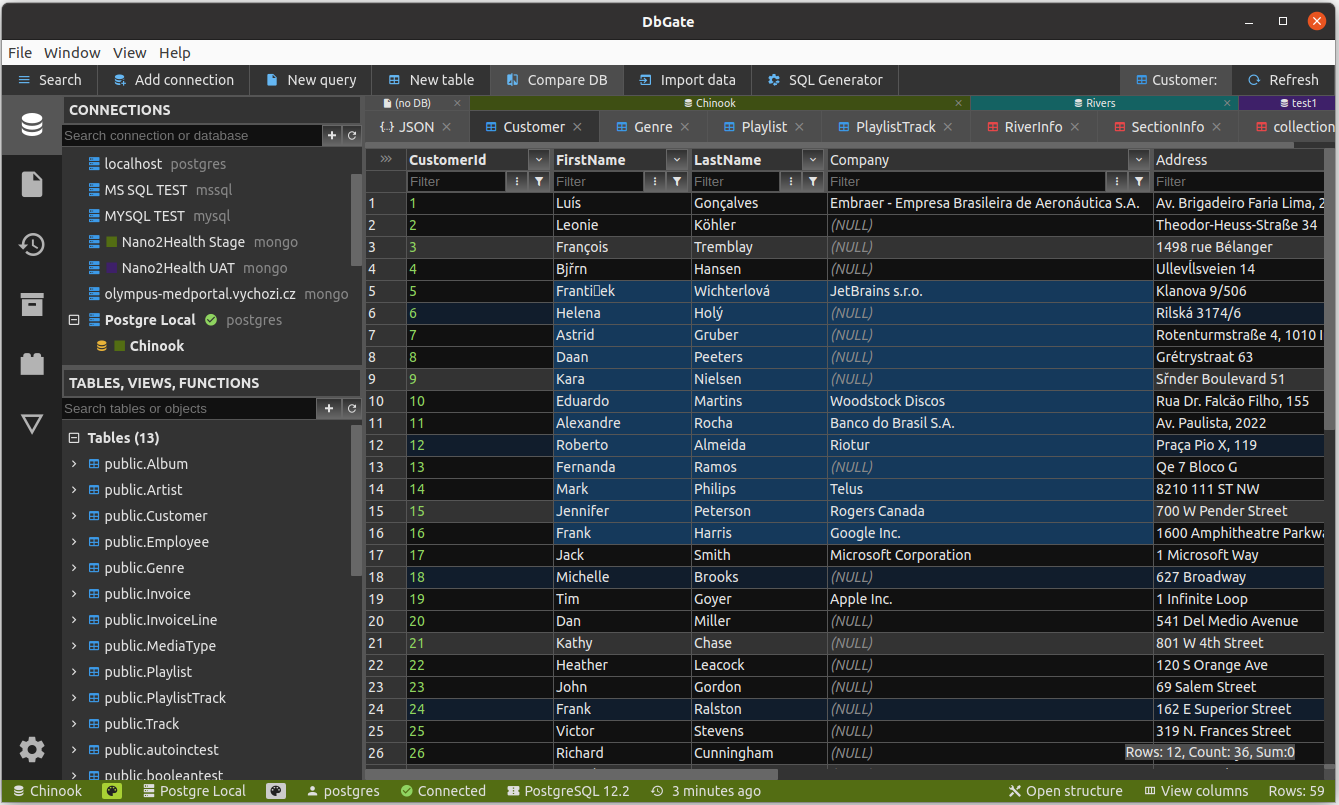
DbGate is fast and easy to use database administration tool for MySQL, PostgreSQL, SQL Server.
|
|
|
|
## Install using npm
|
|
```sh
|
|
npm install -g dbgate
|
|
```
|
|
|
|
After installing, you can run dbgate with command:
|
|
```sh
|
|
dbgate
|
|
```
|
|
|
|
Then open http://localhost:5000 in your browser
|
|
|
|
## Download electron app
|
|
You can also download binary packages from https://dbgate.org . Or run from source code, as described on [github](https://github.com/dbgate/dbgate)
|
|
|
|
## Other dbgate packages
|
|
You can use some functionality of dbgate from your JavaScript code. See [dbgate-api](https://npmjs.com/dbgate-api) package.
|
|
|
|
## Screenshot
|
|
|
|
|